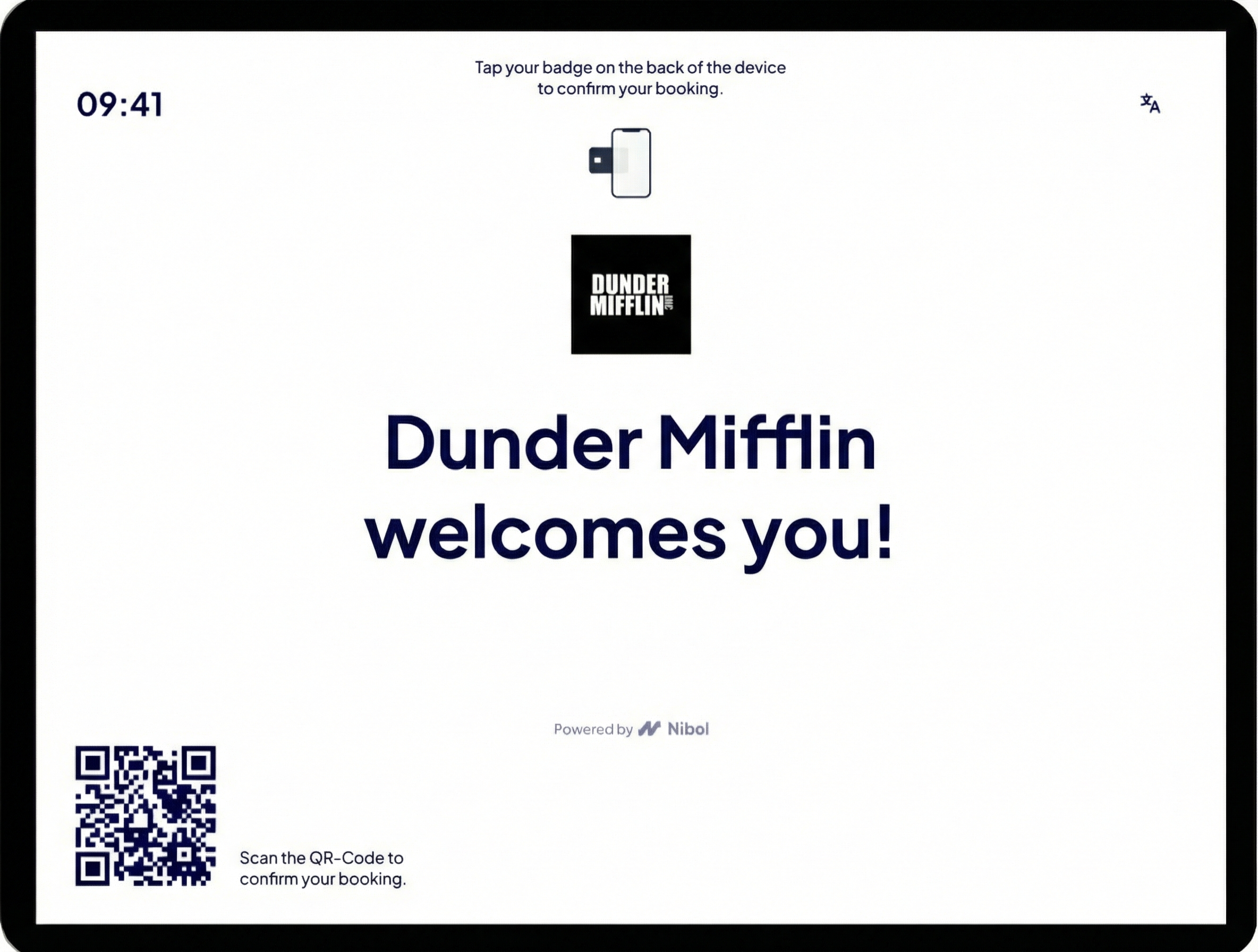
Once you have paired your device with Nibol Welcome, allow users to easily and quickly check in for their bookings by scanning a QR code or using an NFC badge.
To do this, simply click the Edit button on the device and go to Check-in > here, enable the option "Check-in via QR-code" and/or "Check-in via NFC".
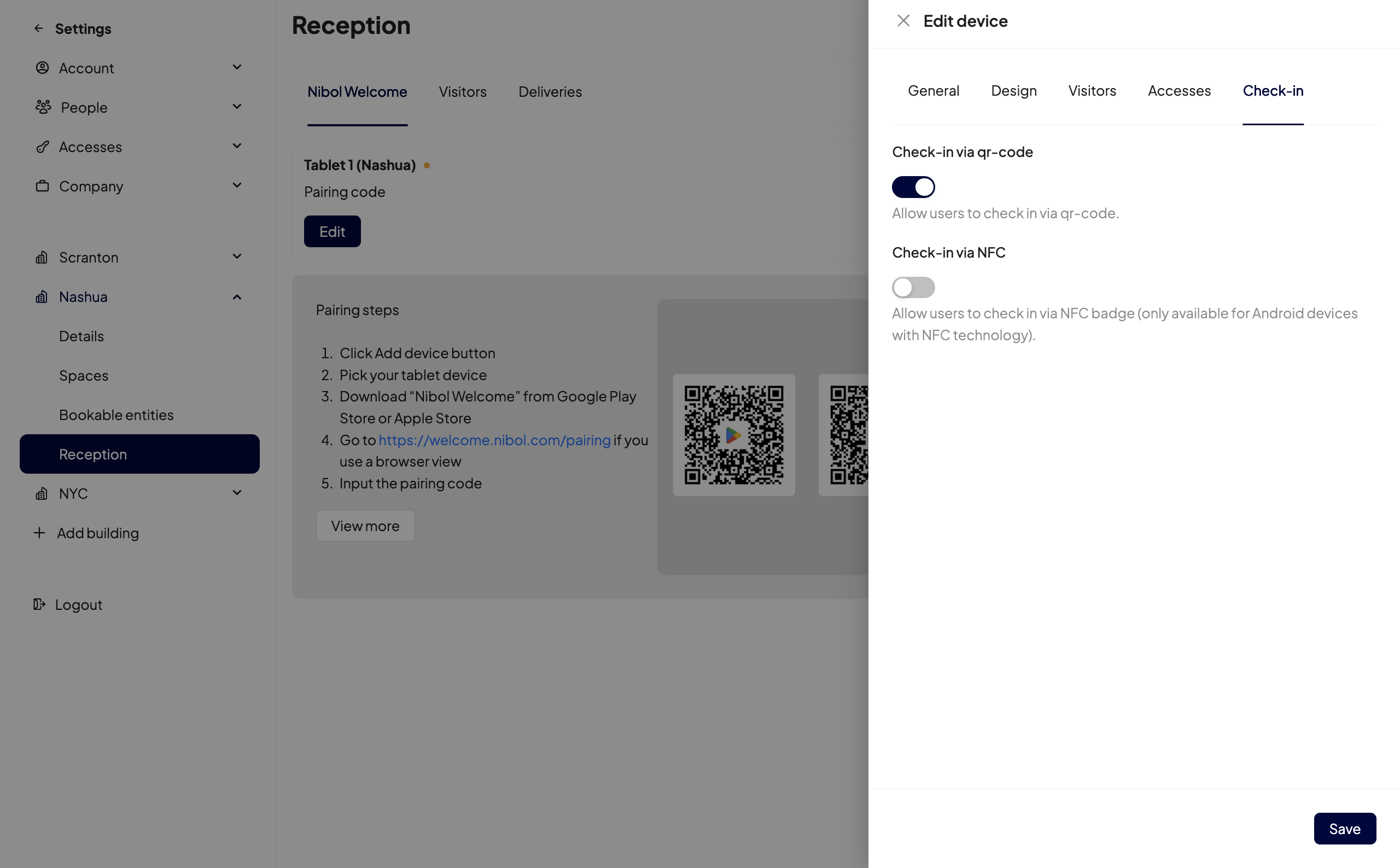
Once done, your employees will be able to confirm the check-in of their bookings in the office:
By scanning the QR code displayed on the Nibol Welcome screen with their mobile phone camera
By tapping their NFC badge on the Android device where Nibol Welcome is installed. This feature is available only for Android devices with NFC technology.
Below is an example: